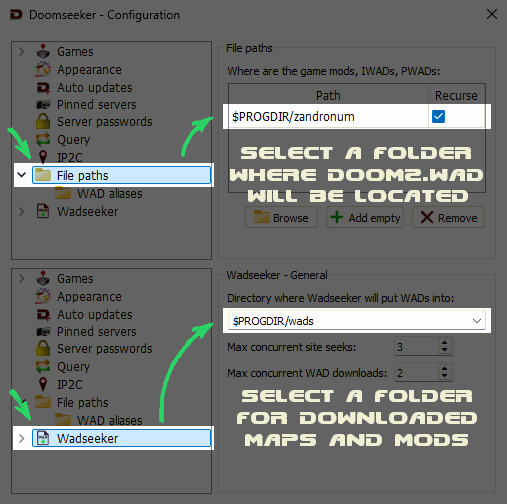
I can't configure file paths.
Your options should look like this
May 18, 2026
This is a quick guide on how to set up and play Doom multiplayer via Zandronum.
Done!
Your options should look like this
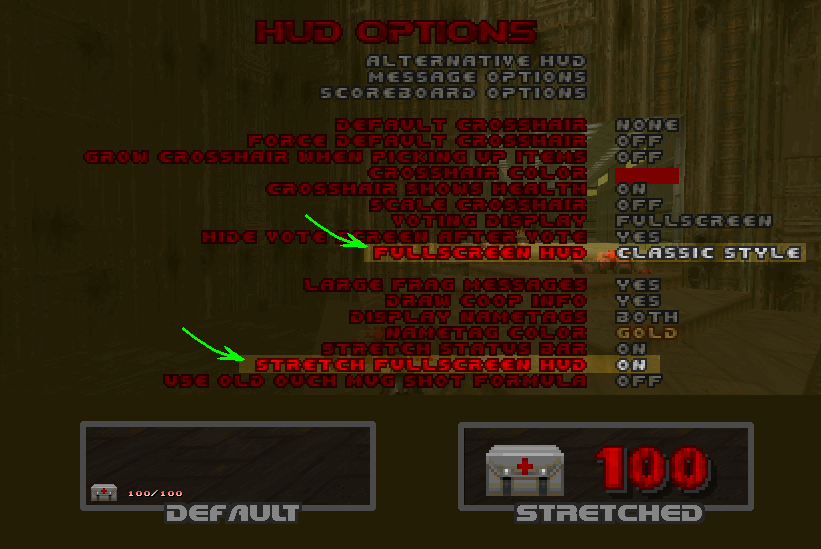
If you prefer the old-style bottom bar press plus/minus key on your keyboard to adjust it. And for general interface options go to HUD options and tick the stretch fullscreen hud option.
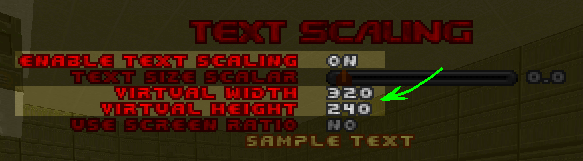
For chat text go to HUD options → Message Options → Text Scaling. Tick the enable text scaling option on and set the virtual width and height.
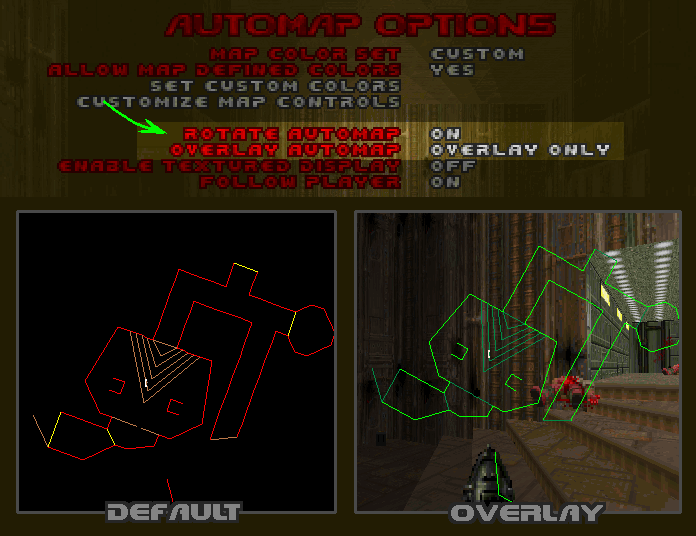
The automap by default is bind to Enter key. You also can go to automap options and set the overlay automap option.
Open in-game console and enter "vid_listadapters" command to view the list of your monitors. Then enter "vid_adapter" command to set your main monitor.
Zandronum has better mod support overall and allows doing some fun things like this: